UBlock
An iOS app that blocks distracting applications and redirects you towards productive alternatives.
- Role
- Product Designer, UX Researcher, iOS Developer
- Timeline
- January 2025 – April 2025
- Context
- Computer Science & Entrepreneurship Capstone · Sociotechnical Research Paper · University of Virginia
- Stack
- Swift, SwiftUI, SwiftData, Apple Screen Time API (FamilyControls · ManagedSettings · DeviceActivity)

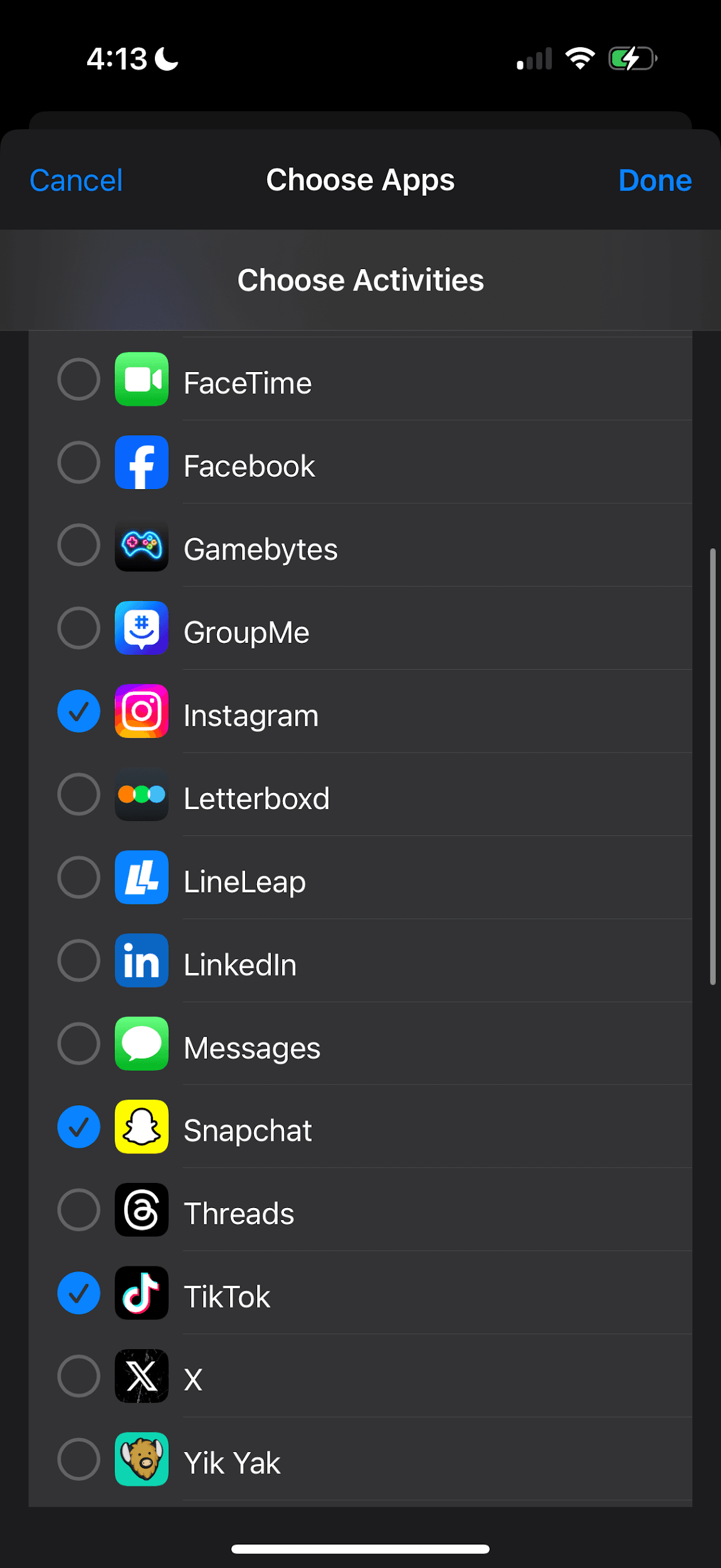
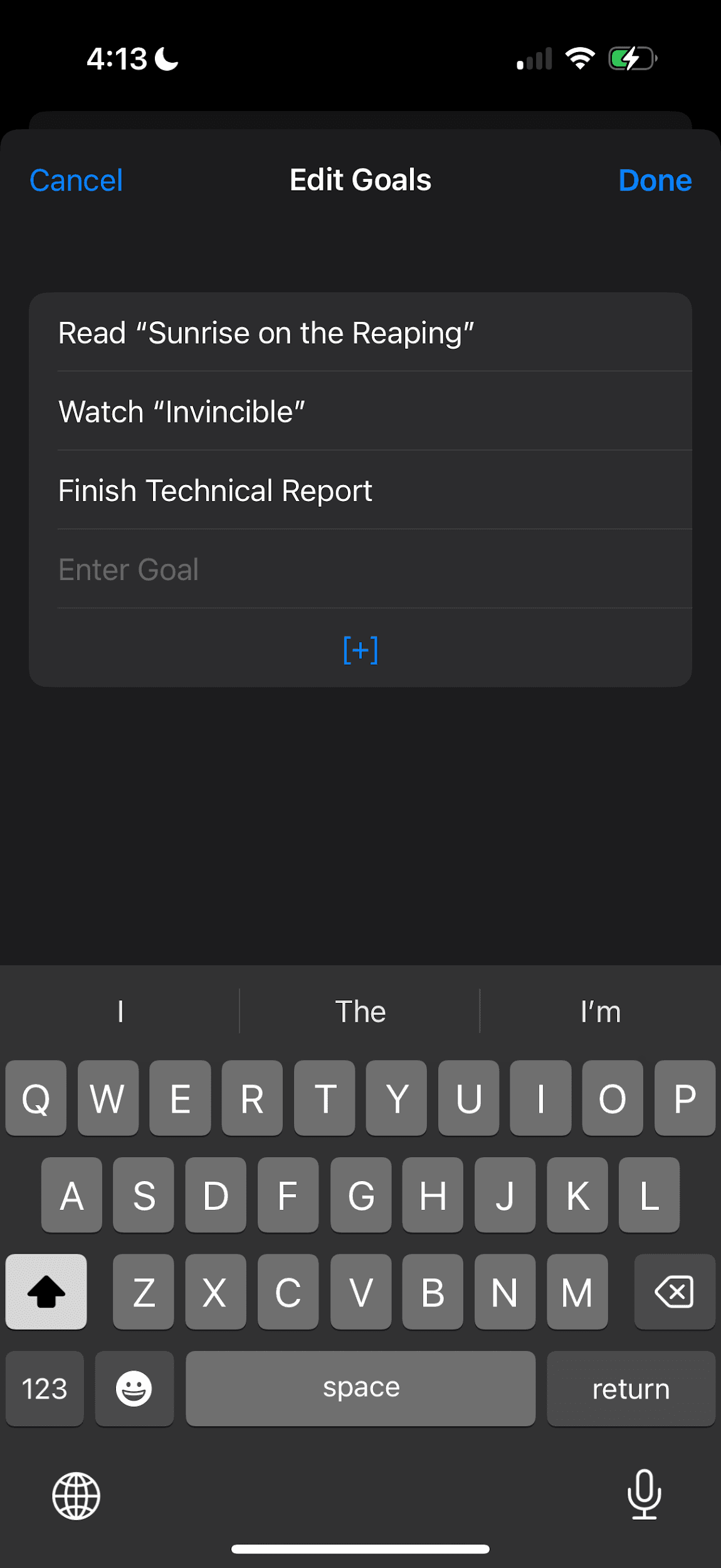
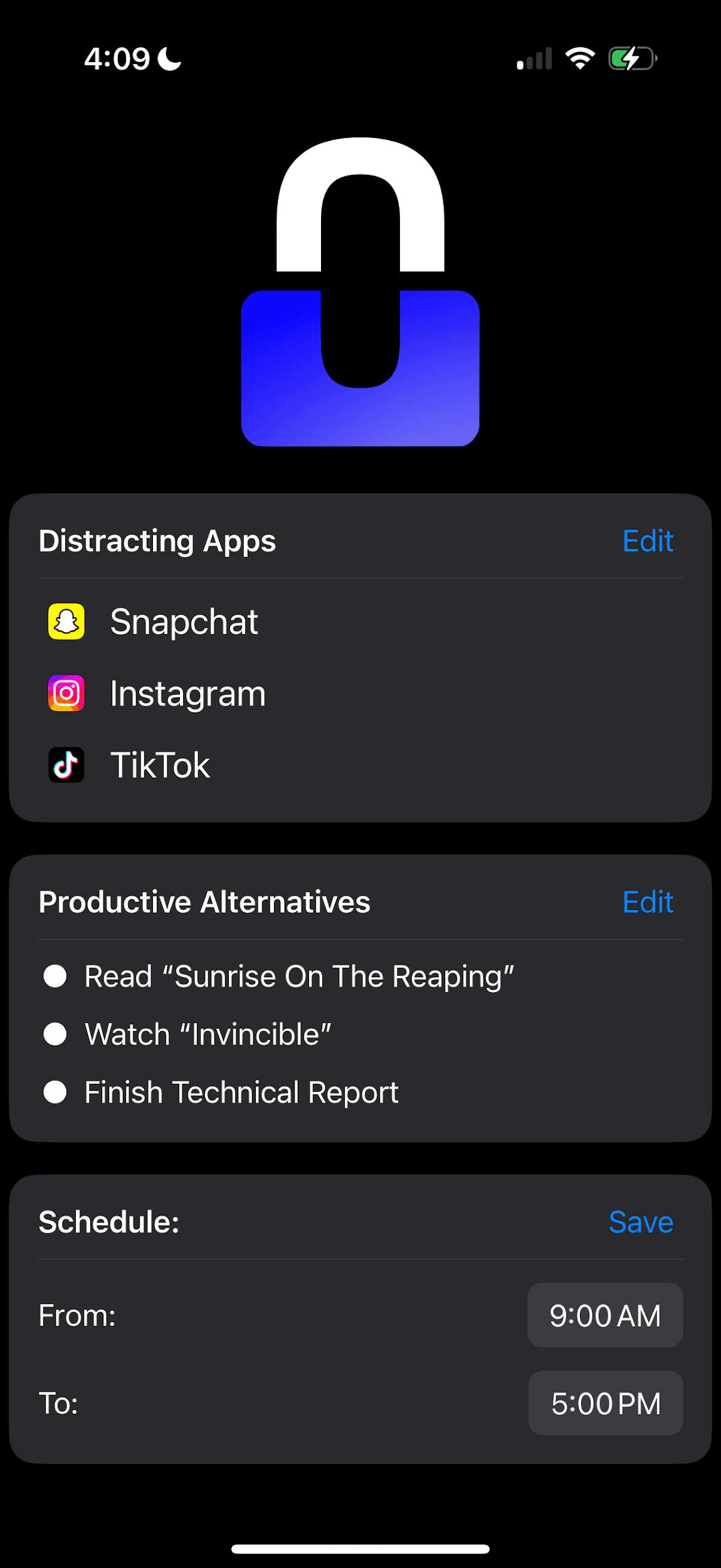
Pick the apps that distract you, list what you’d rather be doing, and set a schedule for when you’d like to be redirected.
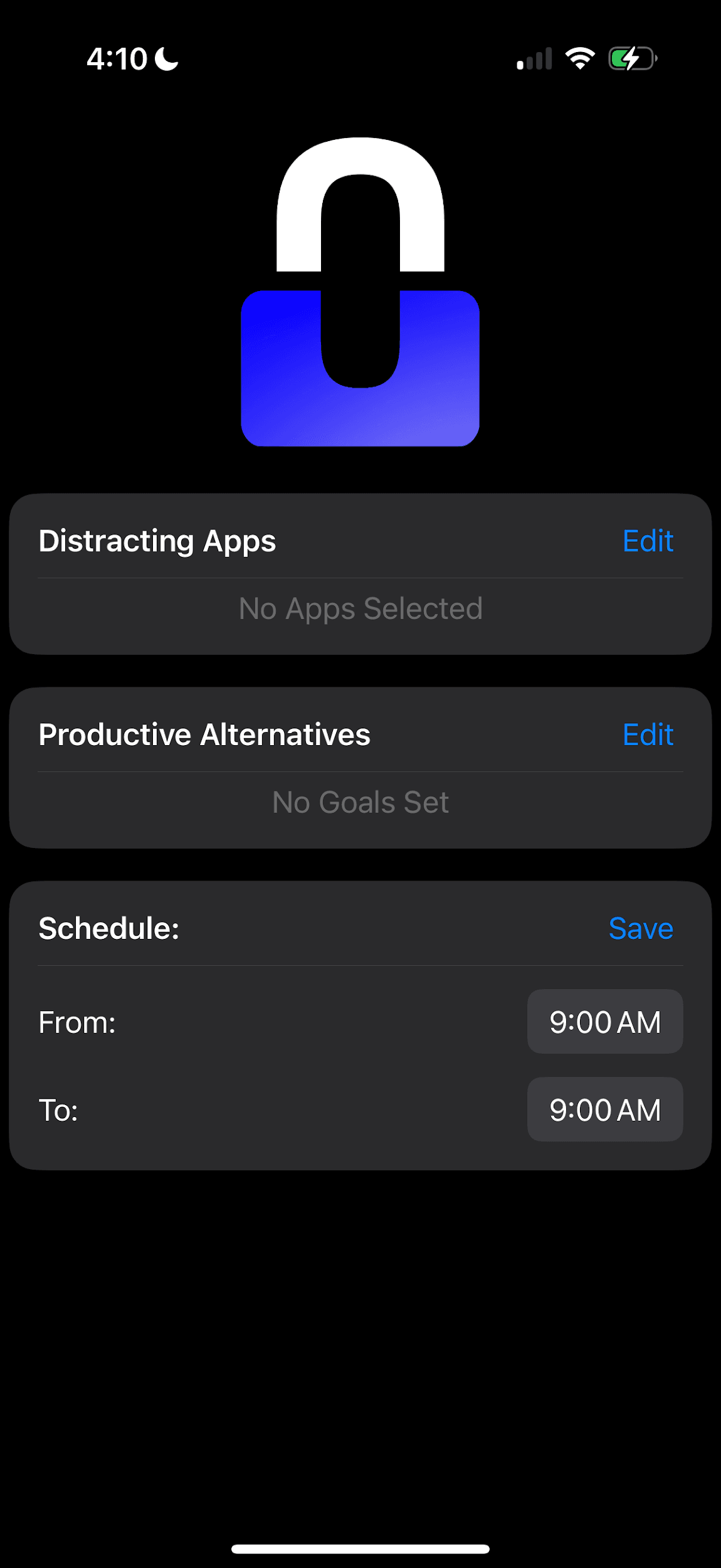
UBlock is an iOS app that allows users to select apps they consider distracting, create a list of productive alternatives they’d rather commit their time to, and set a schedule during which the distracting apps are blocked via the Screen Time API’s App Shield. The app’s functionality is centered around one main screen, where the user can view their personal configurations and choose whether or not to edit them. The screen is divided into three sections: “Distracting Apps”, “Productive Alternatives”, and “Schedule”. Once saved, the schedule enforces itself in the background, whether or not UBlock is ever opened again.
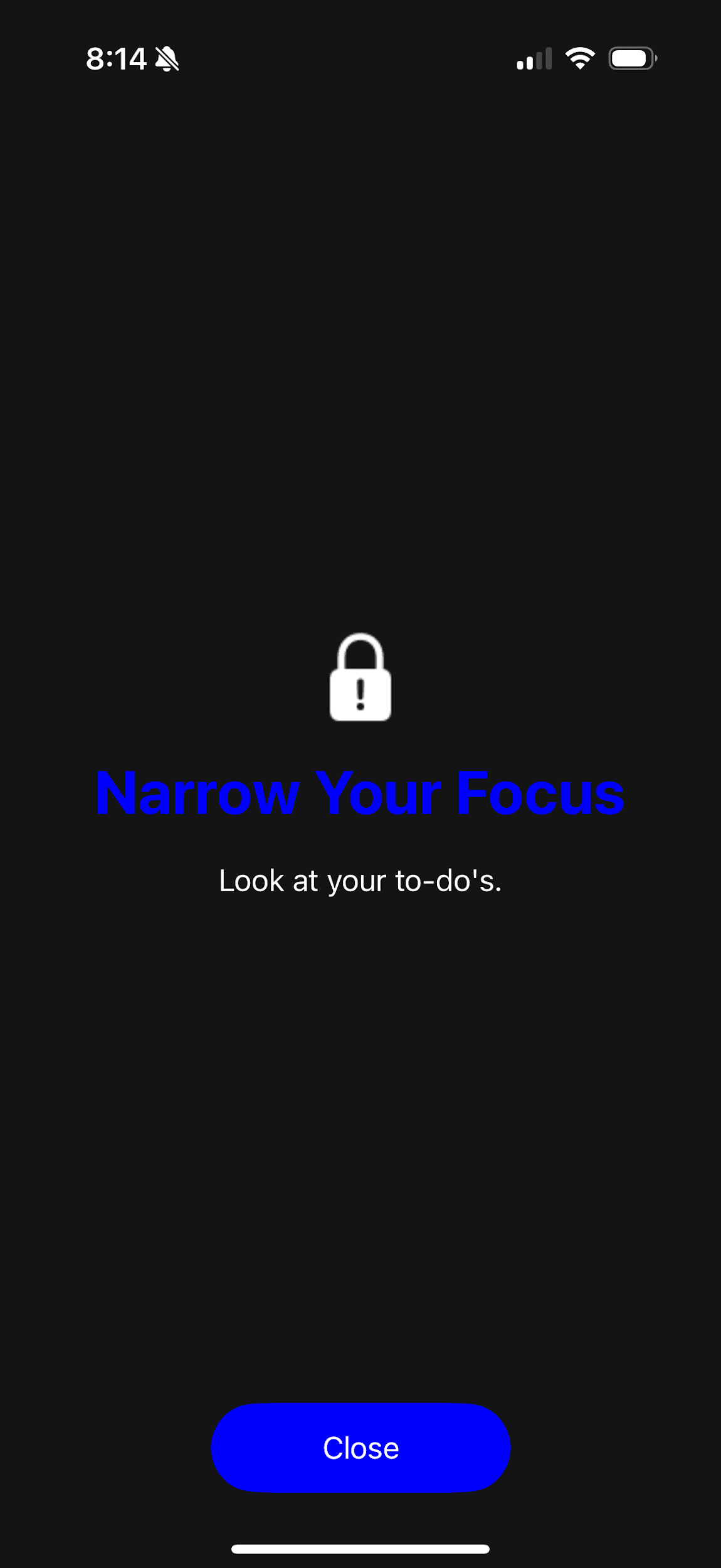
In practice
The blocking schedule starts at 10:10 PM while Instagram is open. The App Shield covers the app mid-scroll and tells the user to look at their to-do’s, which are listed in UBlock. There is no way to bypass the shield until the schedule ends.
Excessive screen time is fueling a mental health crisis. Existing tools don't work — for TikTok and Meta, that's by design.
During July 2021 through December 2023, one-half of teenagers ages 12–17 had 4 hours or more of daily screen time.1 Excessive use has been associated with negative mental outcomes including depressive symptoms2 and disrupted sleep,3 and the problem is only progressing as devices become more accessible and are used by younger demographics.
Many of the features meant to address this issue are ineffective by design. The screens displayed by various providers often have buttons that allow users to bypass the limit. Court filings against TikTok and Meta, and Apple’s own support forums, show how little these features do.
1.3%
decrease in time spent on the app from TikTok’s daily limit feature.
“Our goal is not to reduce the time spent.”
40×
Users chose to continue using Instagram 40 times more often than to take a break.
“Meta designed its ‘Take a Break’ reminder to be easily dismissed…”
2,132
users clicked “Me too” on a February 2022 thread explaining that Screen Time wasn’t blocking TikTok, Snapchat, or Instagram.
“I’ve tried everything from factory resetting the phone to getting a new phone and still those app will continue to work after the downtime and app limit.”
Screen-time limits are too easy to bypass, and no app redirects users towards their own goals.
Before I designed any screens, 34 people answered the same set of interview questions, most of them college students along with a few working adults. Over 95% wanted to decrease their screen time. Only 2 had installed a screen-time app — and both uninstalled it due to the app being ineffective at reducing screen time.
The same few patterns kept coming up across the interviews:
Bypassing becomes a habit.
A diligent and committed user can get past the lock screen by getting creative or by simply waiting down the time limit.
Blocking leaves a void.
Multiple users simply didn’t know what to do with their free time once they were off social media.
They asked to be redirected towards their own goals.
Asked how they’d use a tool that blocks distracting apps, interviewees kept asking it to show what they should be doing instead, like their to-do list or their goals.
Reducing screen time is social.
Asked how they’d help a friend cut back, interviewees described social fixes like invitations, accountability, and challenges.
100 reviews, 7 apps, 1 shared gap.
Reading 100 App Store reviews across 5 different apps revealed what users like and dislike about screen-time apps already on the market. Price, setup, and how easy the block screen is to get past came up again and again. None of the apps truly redirect users to pursue their own personalized goals, and most remain easy to bypass.
Opal
4.8★ · 41k ratings$100 a year
Liked
- Easy-to-use interface
- Quick setup
- Scheduled app limits
Disliked
- The $100/year price
- Information gathering
- Buggy app picking
one sec
4.8★ · 19k ratings$15–20 a year
Liked
- Customizability
- Functionality
- Low price
Disliked
- Long setup across Apple’s own apps
Refocus
4.8★ · 4.6k ratingsPaid extras
Liked
- Functionality
- Ease of use
Disliked
- Pricey extra features
- Screen Time API bugs
| Capability | UBlock | Opal | one sec | Refocus | ScreenZen | Clearspace | BRICK |
|---|---|---|---|---|---|---|---|
| Blocks distracting apps | Yes | Yes | Yes | Yes | Yes | Yes | Yes |
| Hard to bypass | Yes | No | No | No | No | No | Yes |
| Essential features free | Yes | No | No | No | No | No | No |
| Redirects to your own goals | Yes | No | No | No | No | No | No |
I explored two early concepts that didn’t ship: gamification would keep people on their phones, and Apple doesn’t share data that a leaderboard would need.
Discovery showed that people wanted to be redirected towards their own goals, and that reducing screen time is social. When I pitched UBlock in my entrepreneurship capstone, a visiting entrepreneur suggested gamification to make the app “sticky,” so I sketched a version where repeatedly completing healthy habits allows users to level up a virtual avatar and decorate a home their friends can visit. My capstone advisors also warned that customer acquisition would be my biggest hurdle, and suggested encouraging competition between friends. This resulted in a leaderboard that encourages users to compare their screen times with friends, supported by a profile screen for adding them. The home screen leaves everything else user-defined, since every smartphone user has a different definition of what truly is too much time spent on screens.
Gamification was dropped in favor of a more streamlined social experience, as encouraging people to continuously return to an app that’s supposed to limit distractions defeats the idea of getting people off their phones in the first place. The leaderboard, on the other hand, rewards whoever spends the least time on their phone, and builds on what interviewees were already doing to hold each other accountable. Since it would only function when a user had friends that also used the application, it would also encourage users to invite their friends to download the app, addressing my advisors’ concerns with customer acquisition. As such, the leaderboard became the primary feature I set out to build, until Apple’s privacy limits ruled it out as well (see Engineering).
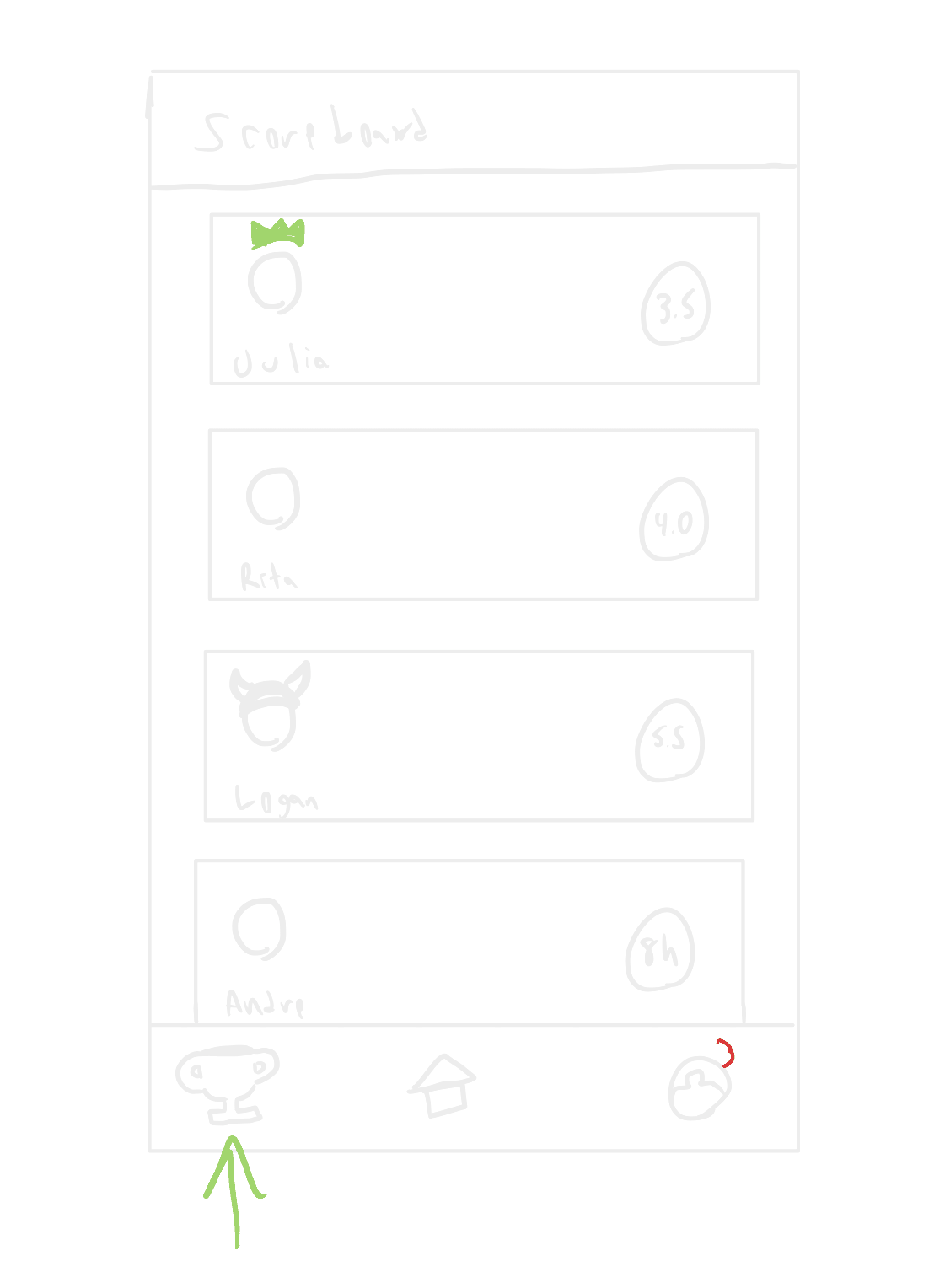
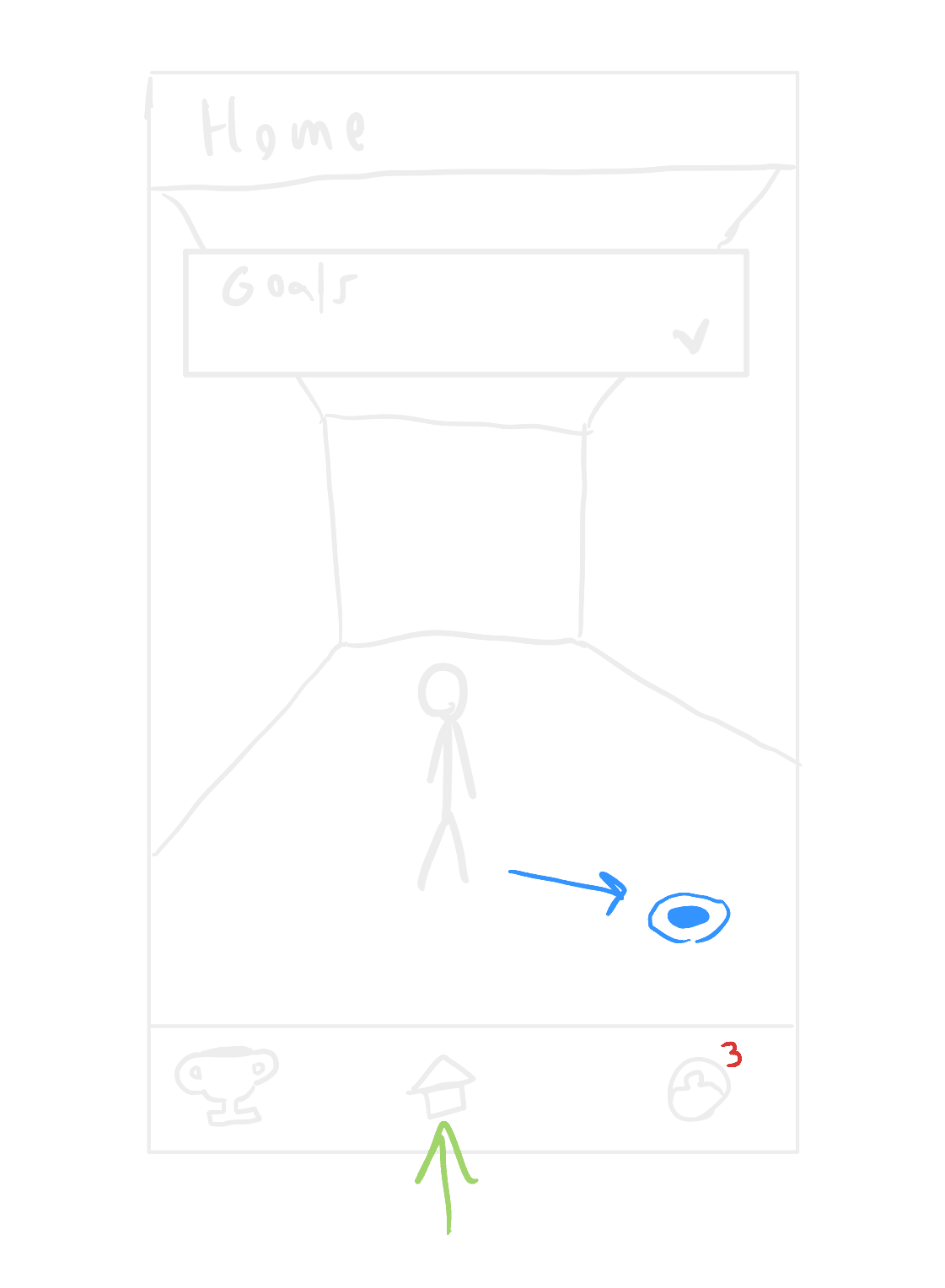
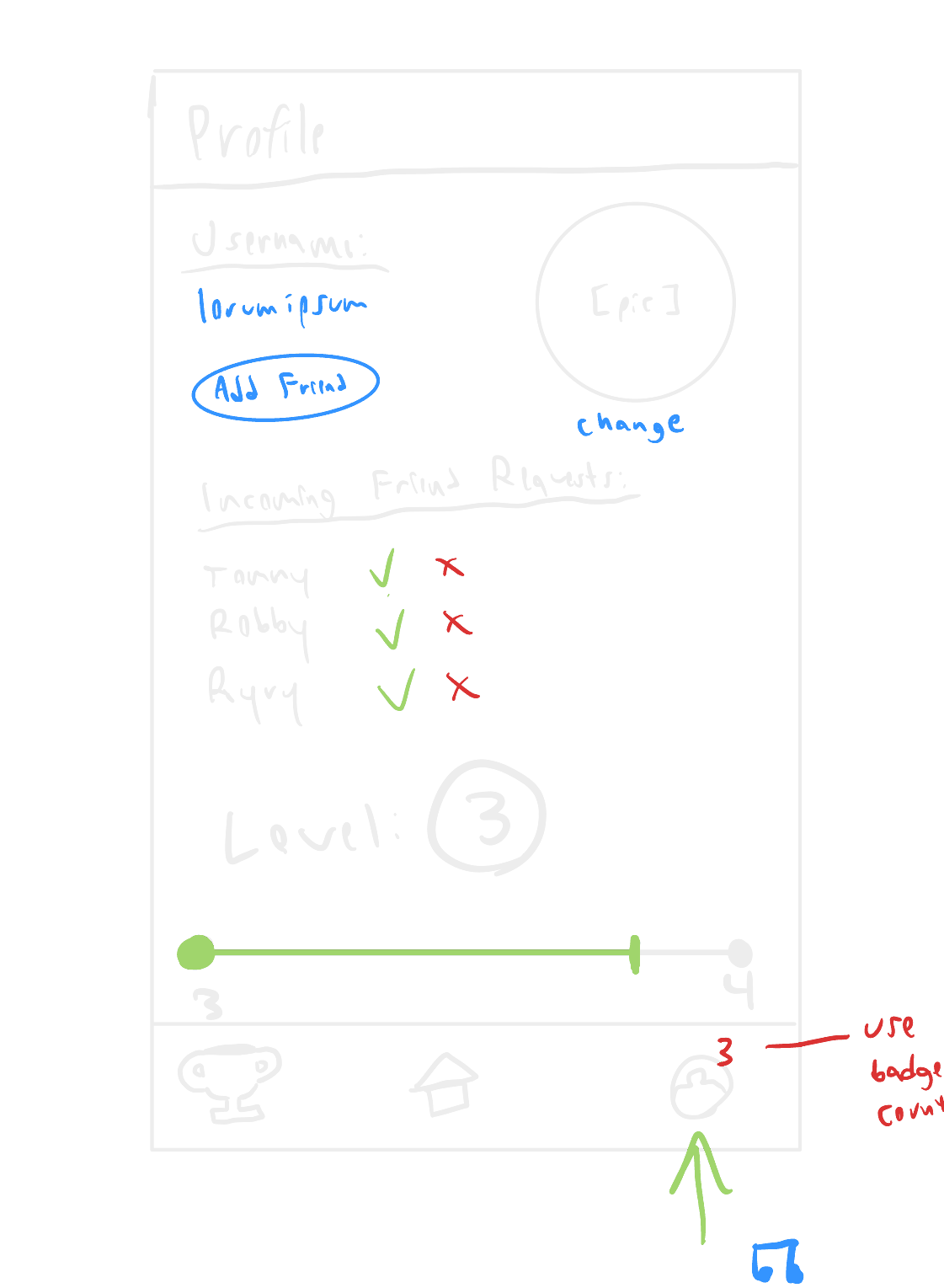
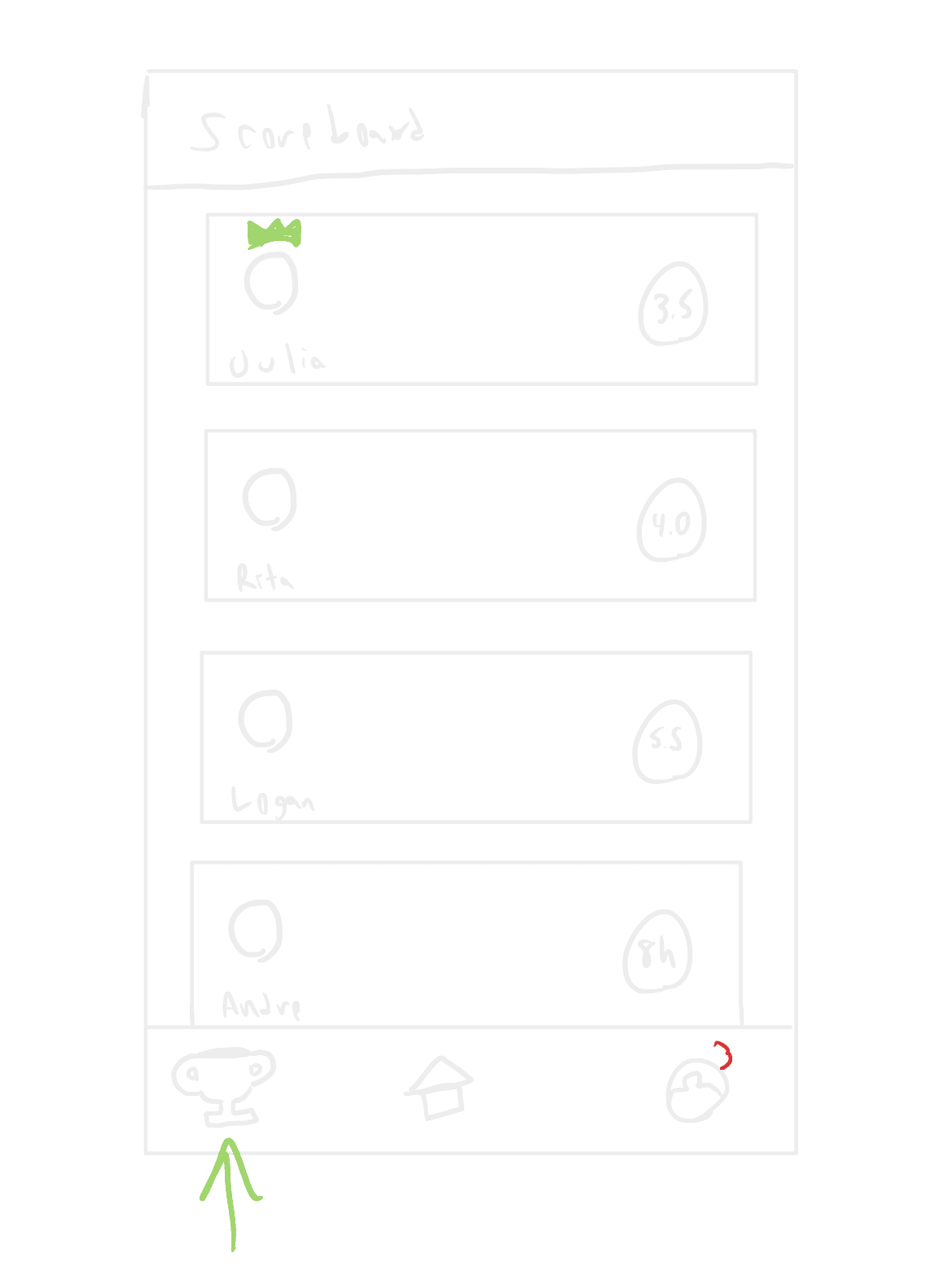
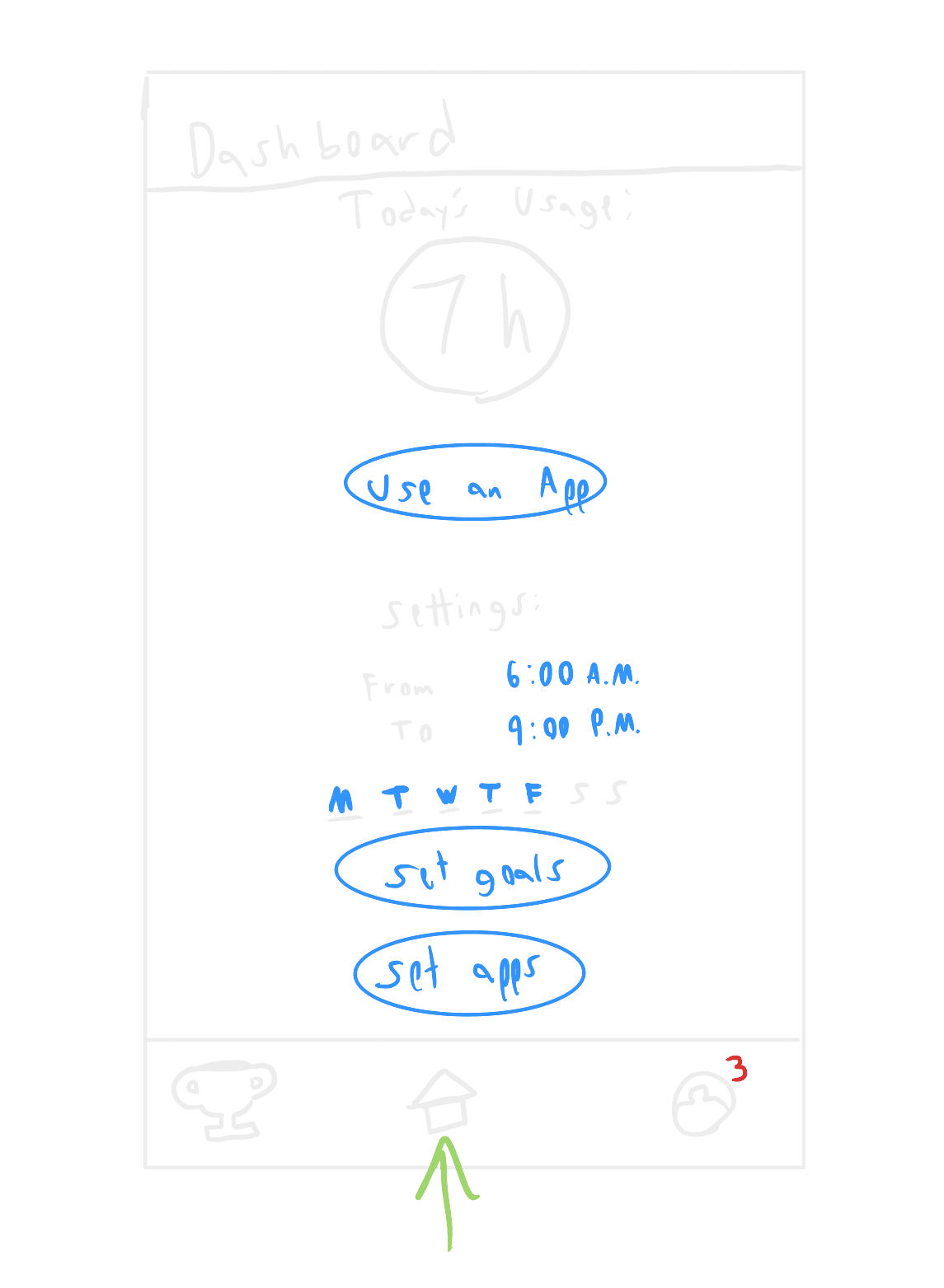
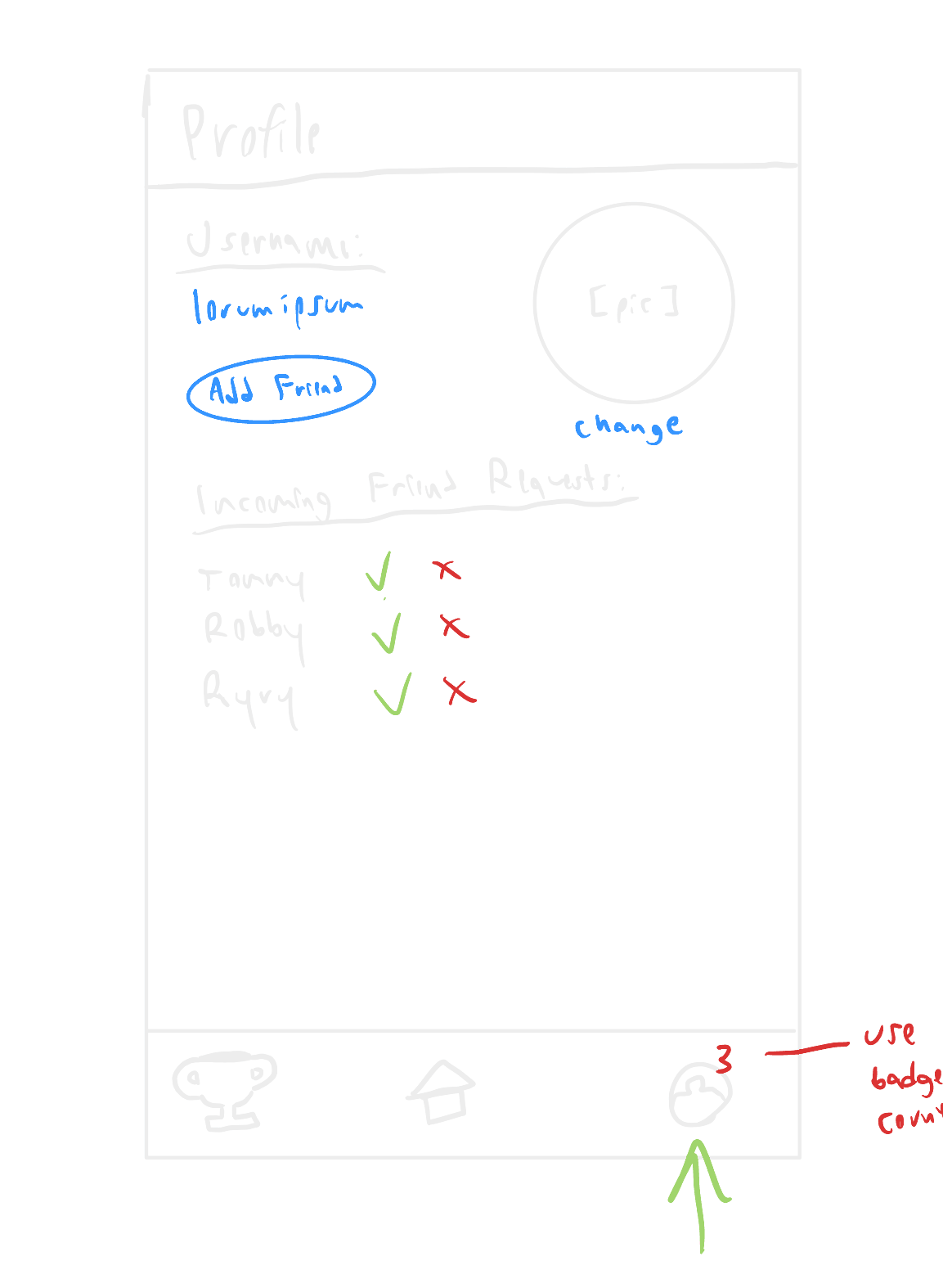
Apple keeps usage data private and the App Shield fixed, which reshaped the product twice.
Apple represents 57.93% of the U.S. mobile vendor market share,7 so I built UBlock for iOS using Swift, SwiftUI, and Apple’s Screen Time API, with Firebase intended to handle user accounts for the leaderboard. The app is split into three programs that share their data, so blocking keeps running on schedule even when UBlock is closed.
In programming the application, it became quickly apparent that the leaderboard could not work as designed. Apple runs most of its Device Activity features in a sandbox environment that does not let developers obtain access to an iPhone’s usage data, so the profile and leaderboard screens were scrapped. The App Shield would have been the best place to show users their own goals, but it runs in a sandbox environment as well, and its configuration cannot be adjusted outside of the title, subtitle, icon, and button. Thus, the shipped shield simply tells users to look at their to-do’s.
UBlock app
Where users pick apps, list their goals, and set a schedule.
Device Activity Monitor
Turns blocking on and off on schedule, even when UBlock is closed.
Shield Configuration
Supplies the App Shield’s title, subtitle, icon, and button whenever a blocked app is opened.
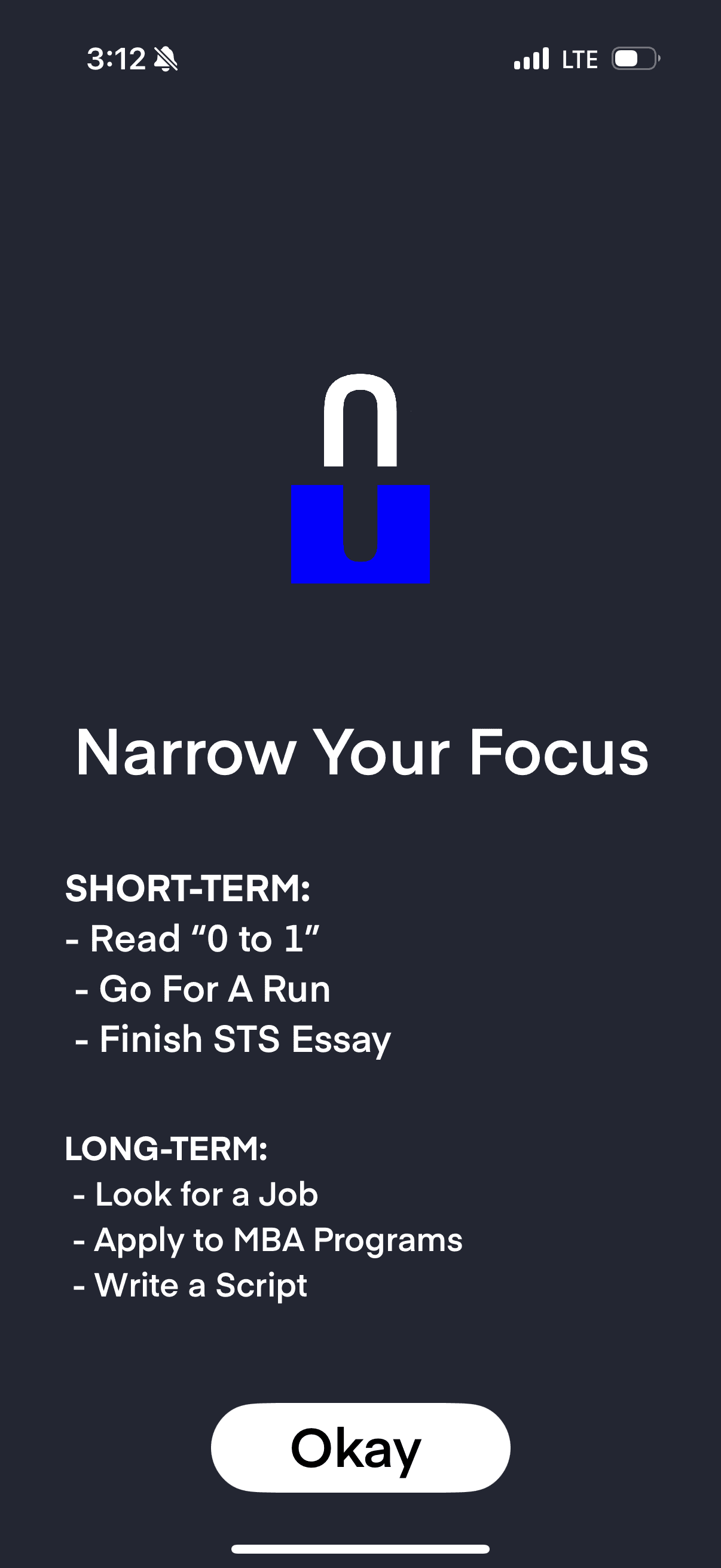
The next version needs more friction than existing blockers, but not so much that people delete UBlock to get around it.
UBlock offers promising functionality in its minimum viable product state, and can already be used by others to help them reduce their screen time on distracting apps. By the end of the semester, 34 people were willing to beta-test it.
Customer discovery proved to be an excellent vehicle through which one can avoid spending money and time building something that no one wants, and software development proved inherently hard to plan, especially solo. My biggest takeaway, though, is that due to the existing implementation limitations, exploring how to create more friction between users and their blocked apps seems to be the path forward. The goal is to increase friction beyond what existing first- and third-party solutions supply, while avoiding a level so restrictive that it convinces people to delete the app to get around it.
Moving forward, I plan to keep improving UBlock in a few key ways:
Add more friction
Raise the effort it takes to get back into a blocked app, without locking users out completely.
Polish the interactions
Give UBlock a more refined look, with interactions that make every unlock feel earned.
Explore iOS Shortcuts
Learn whether Shortcut automations can let UBlock truly redirect users, instead of simply blocking apps.
Launch the beta
Put the MVP in front of the 34 people waiting to test it, and use their feedback to find how much friction is too much.
Notes & references
- Zablotsky B., Arockiaraj B., Haile G., & Ng A.E., Daily screen time among teenagers: United States, July 2021–December 2023, NCHS Data Brief no. 513 (2024). ↩
- Forte C., O’Sullivan D., McDowell C.P., Hallgren M., Woods C.B., & Herring M.P., Associations between screen-time, physical activity and depressive symptoms differ based on gender and screen-time mode, European Child & Adolescent Psychiatry 32(11), 2313–2322 (2023). ↩
- Liebig L., Bergmann A., Voigt K., et al., Screen time and sleep among medical students in Germany, Scientific Reports 13(1) (2023). ↩
- Commonwealth of Kentucky v. TikTok, Inc. et al. (2024) — internal metrics and quotes cited from the complaint, at 89–94. ↩
- Commonwealth of Massachusetts v. Meta Platforms, Inc. and Instagram, LLC (2023) — unredacted complaint, ¶¶ 263–264. ↩
- Apple Support Communities thread, “Screen Time not working on Tiktok, Snapchat, Instagram?” (2022–2024); the “Me too” count is as of spring 2025 and has kept climbing since. ↩
- StatCounter, Mobile Vendor Market Share United States of America, GlobalStats (February 2025). ↩
Interview quotes come from customer-discovery interviews conducted March–April 2025, lightly edited for punctuation. Interviewees are anonymized to their age, year or field, and the daily screen time they reported. Competitor details, including App Store ratings, reflect the apps as of spring 2025. UBlock was an academic capstone project, and it is not affiliated with any product named above. The full technical report and sociotechnical thesis are archived by the University of Virginia on LibraETD.